Start with the whole picture.
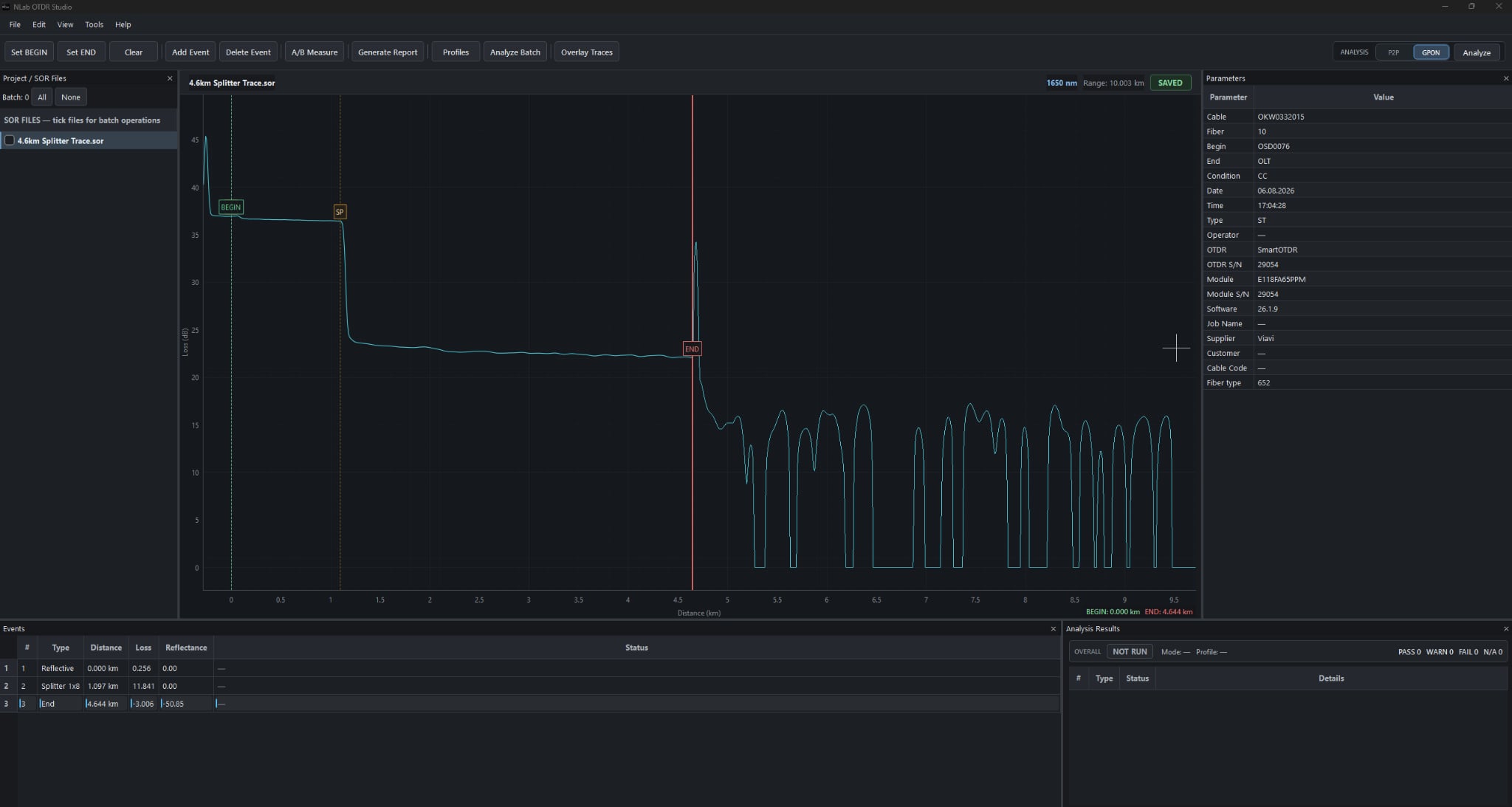
Open SOR files and inspect the trace, event table and measurement parameters together.
Your measurements. One focused workspace.
Open, analyze, edit and report SOR files with NLab OTDR Studio.
Built for Telcordia-compatible SOR files.
Move from the raw measurement to a clear technical report, with the trace at the center of your work.
Open SOR files and inspect the trace, event table and measurement parameters together.
Review distance, attenuation and reflectance. Compare paired measurements with bi-directional analysis.
Create clear PDF documentation from your reviewed measurements and event data.
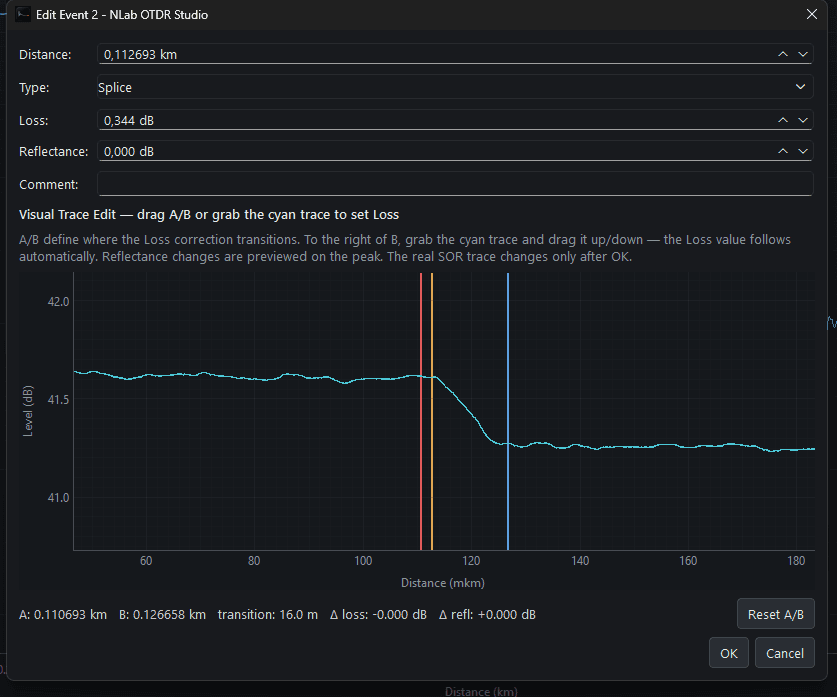
Set A/B markers and adjust splice loss directly on the trace. Preview the result before applying changes to your SOR file.
Define the correction area. NLab calculates the loss change as you adjust.
Adjust reflective peaks with a visual preview before saving.
Start with the free viewer. Unlock the full toolkit for a few days, a longer project, or the long run.
For everyday measurement review.
One purchase. Permanent Pro access.
All prices in USD. License activation is tied to your device. License details ↗
Get NLab OTDR Studio and start with the free viewer.